
Catch a mispriced job before it goes out, right through Muse.
Paste a job's numbers — materials, labor, overhead, tax, what you're charging — and JobCheck recomputes the arithmetic itself: an arithmetic slip, a forgotten cost category, a margin that's too thin, or a total that's oddly far from your own past similar jobs. The verdict is free, always. JobCheck never drafts, sends, or changes a quote — that's Itemize's job.
Live · custom connector
How it works
Paste your job's numbers
JobCheck recomputes the arithmetic
Free verdict, or upgrade for the full fix
Try asking
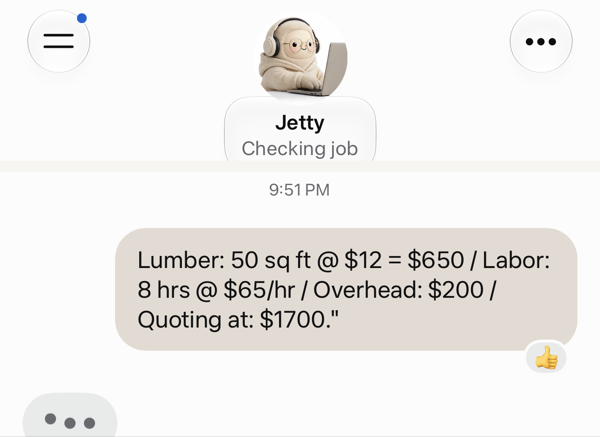
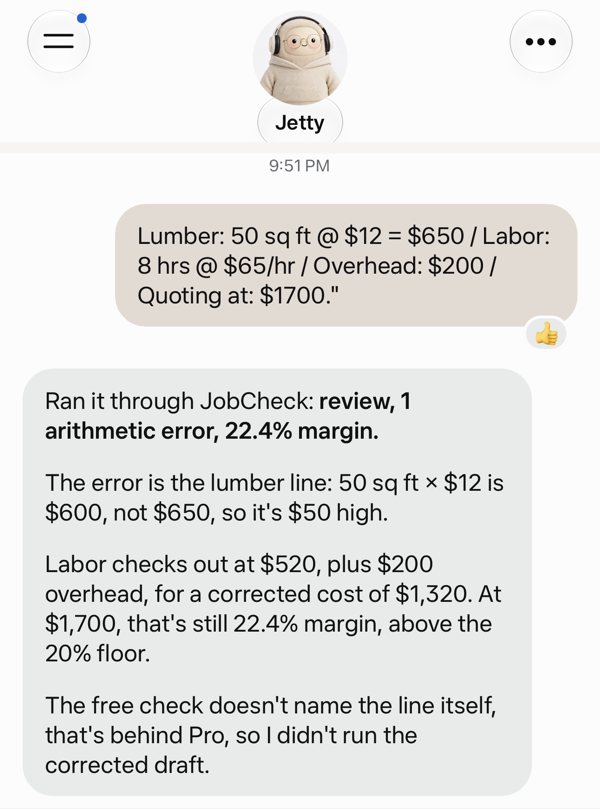
You tell Muse: "Lumber: 50 sq ft @ $12 = $650 / Labor: 8 hrs @ $65/hr / Overhead: $200 / Quoting at: $1700."
Muse replies: "Review — 50 × $12 should be $600, not the $650 stated. 1 issue found; upgrade to Pro to see the full line-by-line correction."
You tell Muse: "Lumber: $400. Quoting at: $420."
Muse replies: "Review — 3 issues: labor and overhead lines are missing (never assumed to be zero), and your margin is 4.8%, below the 20% floor. Upgrade to Pro for the specifics."
You ask Muse: "Fix it" (Pro).
Muse replies with each flag's exact line and corrected figure, the corrected total and margin, and a ready-to-review draft in your own voice — you paste it into Itemize's draft_quote yourself to actually send it.
See it live
A real check from the first example above, run through Muse against the live connector — the arithmetic error it caught and the 22.4% margin are exactly what the code computes, not a mockup.
Free and Pro
-
Free, always: a pass/review verdict, your exact margin percentage, and which flag categories were found — arithmetic error, missing cost, thin margin, or an outlier against your own past checked jobs. Unlimited, no card required.
-
Pro — $5/mo, no trial, no annual option: the full line-by-line correction — each flag's exact line and corrected figure, the corrected total and margin, and a corrected draft in your own set voice. Bought at an external Stripe checkout page — never inside the chat, and no card details ever reach JobCheck.
What it uses
-
A sign-in ID, for keeping your checks separate from everyone else's. Sign-in is a one-time code sent to your email — no password to set or remember.
-
The job's numbers you paste — materials, labor, overhead, tax, and what you're charging — kept so a later "fix it" call and your own past-job comparison can use them.
-
Your preferred tone for a corrected draft (friendly, professional, or firm), only if you explicitly set one.
Nothing else — no read access to Itemize's own stored quotes, no payment processing beyond Stripe for Pro, no data shared between owners.
What it won't do
-
JobCheck checks; you decide. It never sends, drafts, or changes an actual quote — Itemize does that. Every correction is advice, shown to you to review.
-
It never reads your stored Itemize quotes. Paste the numbers directly — there's no shortcut that reaches into Itemize's data, by design.
-
It never guesses a cost, a tax rate, or a price. A line with no stated price reads as missing, never a guessed number.
-
US dollars only — a line in another currency isn't converted or guessed at. It's named directly, so "I couldn't check this line" never gets confused with "you forgot a cost category."